
Mainbrella Build
Your idea.
A working frontend.
Describe the site or app you have in mind. Build creates the source, installs its packages, checks the production build, and opens a preview you can keep refining.
Powered by Cloudflare Workers AI and Workflows.
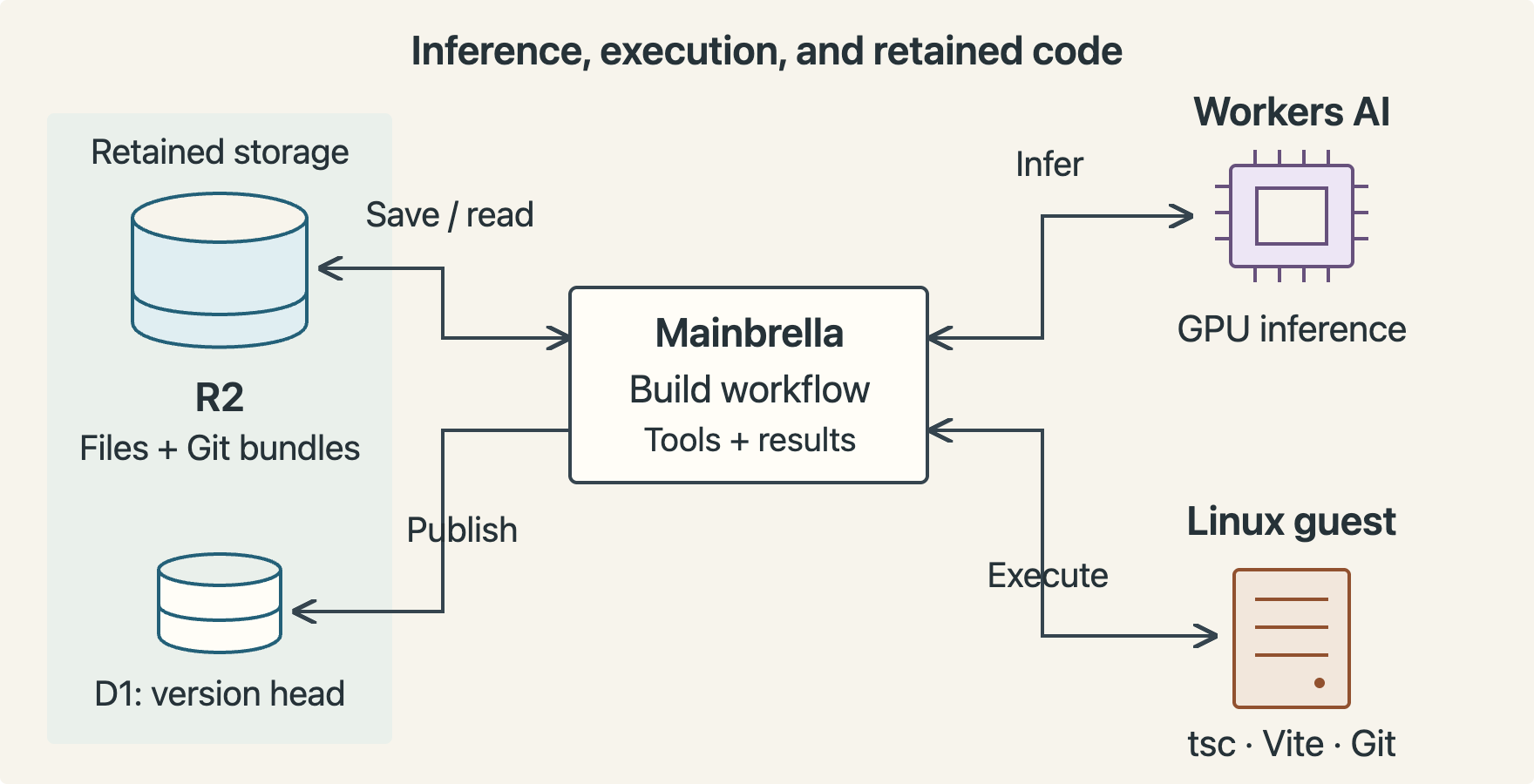
From a description to a checked preview.
A familiar frontend loop, with the code and its history kept close.
Describe what you want.
Start with a page or app idea. Ask for changes in the same conversation as the project takes shape.
Build and inspect it.
Build writes frontend files, installs dependencies, runs TypeScript and Vite checks, then serves the compiled output for preview.
Keep the source.
Review versions, restore earlier work, or download the source and its Git history to continue elsewhere.
Choose where it runs
Build here. Host your way.
Start with the frontend you have in mind.
Describe it, see the build, and keep a copy of the work.