
Building TabDance to feel like macOS Terminal
Command-K is part of how I copy a file. I clear the terminal, run cat file.txt, and press Command-A. I expect to select the file’s contents with only two lines above and two below, confident that some old build log won’t come along for the ride.
That small habit explains a fairly long detour: I tried cmux, worked on a Rio fork, then started reverse engineering Apple’s Terminal to understand the behavior I kept missing. The new project is TabDance. I want workspaces and tabs, with the everyday feel of the macOS terminal I’m used to.
“Feel” sounds vague until you name the keystrokes. Clearing, copying, pasting, and seeing a character appear are separate operations in the code. In my hands they’re one continuous activity, and a small surprise in any of them is enough to make me hesitate.
I liked cmux’s workspaces
cmux made organizing terminal sessions appealing. Its vertical workspace layout gives related sessions a place to live instead of leaving me to remember which window belongs to which project. It’s a native macOS application using Swift and AppKit, with libghostty supplying the terminal engine. The source is available, so there’s real machinery to learn from.
I liked it, and I wanted to change things. In particular, Command-K and working with multiline commands weren’t matching my habits. I then found Rio and tried bringing the workspace idea there.
On September 22, I opened Rio PR #1954, adding a left drawer and workspace concepts inspired by cmux. That proposal came from my aa branch. The later spinner branch contains more of the experiment, including a fix for copying a selection after a terminal application redraws it. They’re different snapshots of the work.
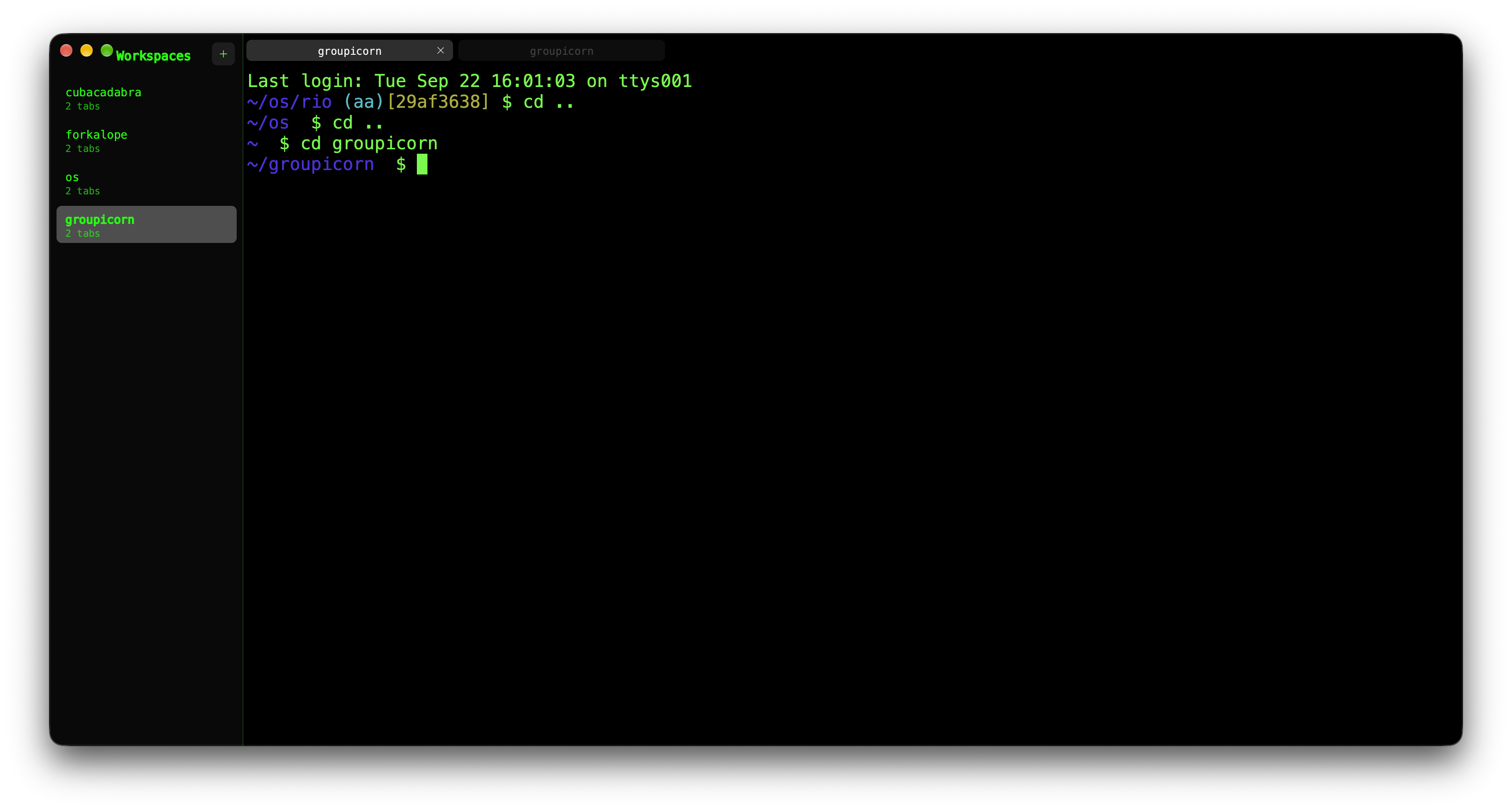
In the PR description I called Rio “perfect.” That was enthusiasm for finding a promising base. As I kept using it, copy and paste, clearing, and the response while typing still had little differences from Apple Terminal. Getting the workspace layout I wanted hadn’t settled those details.
What did Command-K actually clear?
For my copying habit, the cleared window needs to establish a useful boundary: what I print next is what Select All will collect. If earlier output is still selectable, a visually clean screen hasn’t given me the confidence I wanted.

A terminal has a current screen, saved scrollback, a cursor, and a selection. Clearing can affect each differently. Sending a control character to the shell adds another participant: the shell or foreground program decides how to respond. Moving the viewport away from old text doesn’t necessarily remove that text from the selectable buffer.
In the Rio revision I inspected, the normal macOS Command-K binding has two matching actions: send 0x0c, the character generated by Control-L, and clear saved history. The history action operates on Rio’s terminal state. The other action goes to the running program, which commonly redraws the prompt or screen in response.
That distinction gives me something concrete to investigate. The command can look right in an idle shell while behaving differently with a partial command, a different line editor, or a full-screen program. These bindings explain the route Rio takes; they don’t, by themselves, prove the cause of every difference I felt.
An executable is a useful map
I wanted to see how Apple approached the same problem. The file I started with was named term.bin.exe.mac. Its name was odd, but file identified a Mach-O universal binary containing arm64e and arm64e.x1 slices. Its SHA-256 matched the installed Apple Terminal executable byte for byte. The analysis manifest records that comparison and the commands used.
The first pass used macOS’s own inspection tools:
file term.bin.exe.mac
dyld_info -arch arm64e -objc term.bin.exe.mac
dyld_info -arch arm64e -disassemble term.bin.exe.mac
Objective-C metadata was especially useful. It exposed class and method names that gave the assembly a readable outline: a shell object, an I/O manager, an encoding converter, a VT100 emulator, logical screen storage, and a view. The extraction found 107 classes and 2,488 method implementations. That is enough structure to trace specific operations without pretending we have the original source.
This is where “decompile Terminal” needs a qualification. So far, the work is static inspection, annotated disassembly, and manual reconstruction of selected paths. We haven’t recovered Apple’s original Objective-C, its comments, or its design intent. A name such as clearAll: is a lead to inspect, not a complete specification.
Apple’s shortcut guide describes Command-K as clearing to the start. In the binary, the view has separate methods for clearing the screen, scrollback, and everything. Its clearAll: method clears the selection and asks the logical screen to clear scrollback, within a begin/end content-change pair.
Following that logical-screen call shows more than deleting a list of old lines. It shifts active line ranges, removes characters, truncates saved text and an offset cache, and marks rows dirty for drawing. This is local screen bookkeeping. There’s no shell write in the view’s clearAll: path.
I haven’t traced the menu wiring far enough to claim that this is the exact Command-K handler. What the inspection does establish is that Apple has an explicit operation coordinating selection, saved text, and active rows. That’s the level at which my clear–print–select habit needs a definition in TabDance.
Copy the text I selected
A second problem is easier to show with five characters. Suppose a terminal application displays hello, I select it, and the application erases that row before I press Command-C. Should Copy read the current cells or the text I selected a moment ago?
My Rio fork stores a text snapshot when the selection changes. The copy path uses that saved string before falling back to the live grid. The visible row can change without changing the text waiting to be copied.

The fork includes a regression test for this exact sequence: write hello, select it, then feed carriage return and erase-line, \r\x1b[2K, into the parser. The terminal’s live selection disappears, while the saved string remains hello. Clearing the selection explicitly removes the snapshot. I inspected that test; I haven’t run the Rio suite as part of this investigation.
That last rule matters. A snapshot that survives redraw is useful. A snapshot that survives my explicit clear can copy something I meant to discard. Command-K and Command-C meet at the lifetime of the same selected text.
Paste has a different boundary. With bracketed paste, a terminal wraps pasted text in start and end sequences so the receiving program can distinguish a paste from typing. Rio’s paste implementation takes that route when the program has enabled it; normal paste otherwise converts line endings to carriage returns. The shell and its line editor are part of the result. Comparing paste behavior means keeping those participants and their modes the same.
The round trip behind a typed character
Typing was another thing that didn’t feel the same to me. The binary gives us a path to examine, but it hasn’t given us a latency result.
Apple Terminal starts its child through forkpty. A pseudoterminal, or PTY, gives the shell a terminal device while the application reads and writes the other end. A key event becomes bytes, those bytes reach the shell, and output returns to update the screen. Depending on the program and terminal settings, the echo comes from the terminal driver or the program.

The I/O thread uses kqueue, handles buffered writes, and reads output in chunks. It schedules delivery back to the main thread. There, shellDidReceiveData: passes data through the encoding converter into the output decoder. In this path, parsing returns to the main thread rather than staying on the I/O thread.
The encoding layer also handles incomplete character data between reads. A read can end halfway through a UTF-8 character; the next chunk completes it. Then the VT100 decoder interprets cursor movement, erasure, and other control sequences to update the screen. The output is a stream of instructions as well as text, which is why the same parser can make a selected row disappear.
A high frame rate or fast dump of a large file wouldn’t tell me the whole time from a key event to the character I see. Queued writes, shell processing, delivery to the main thread, and the next draw all sit on that route. I need a controlled comparison with the same shell, prompt, window size, font, and workload before claiming that TabDance is faster—or that a particular Apple design choice explains my preference.
Where TabDance is today
The October 10 snapshot contains the inspection artifacts and a small native prototype. It uses Swift, AppKit, and SwiftTerm 1.19.0 for terminal emulation and rendering. It launches a real login shell, supports selection and copy/paste, resizes the PTY, and opens multiple windows. The app bundle is still called TerminalLab.app.
Two local tests passed: one exercises a real PTY’s input, output, resize, and child cleanup; the other checks parser behavior for cursor positioning, color, and the alternate screen. The build instructions and scope are in the repository. Those checks establish a working base. Tabs, workspaces, and matching the clear–print–select behavior are still ahead of this prototype.
I’m starting the next comparison with a deliberately boring file:
printf 'alpha\nbeta\ngamma\n' > /tmp/tabdance-selection.txt
# Press Command-K, then run:
cat /tmp/tabdance-selection.txt
# Press Command-A, Command-C, and inspect the pasted text.
First I want to record exactly which text and surrounding newlines are copied in Apple Terminal, with a fixed prompt and window size. Then I want TabDance to produce the same result. After that come a wrapped line, a selection erased by a redraw, and a multiline paste. Those are small enough cases to make a disagreement visible.
Workspaces brought me to cmux and Rio. The reason to keep going with TabDance is the moment after Command-K when I can stop wondering what Command-A is about to select.